
Android Phone
Use a compatible Android phone running Android 9 or later.
Poker-Eye runs on compatible Android phones, tested LDPlayer setups on Windows, and Apple Silicon Macs through MuMuPlayer. One app includes both live action guidance and automatic mode for supported in-game actions.
This button opens our chat. Our sales team will send you the APK there.
Choose your device or emulator setup and check its requirements before installing the APK.
Use a compatible Android phone running Android 9 or later.
LDPlayer 9 publishes these minimums: an Intel or AMD x86/x86_64 processor, 2 GB RAM, 36 GB of free storage, DirectX 11 or OpenGL 2.0, and Intel VT-x or AMD-V enabled.
Tested configurations: LDPlayer 9.2.7.0 with Android 12 and LDPlayer 9.5.27 with Android 9.
Use MuMuPlayer for Mac on an Apple Silicon Mac. Install the current APK in MuMuPlayer, then use the same Agent Code activation flow.
After installation, enter the Agent Code provided by your agent or seller.
Poker-Eye is not available for iPhone or iOS. MuMuPlayer runs only on an Apple Silicon Mac.
Select Download APK to open chat and request the Android installer. Our sales team will send it to you there.
Open the downloaded APK on a compatible Android phone, a tested LDPlayer setup, or MuMuPlayer for Mac, then follow the installation prompts.
Open Poker-Eye and enter the Agent Code provided by your agent or seller.
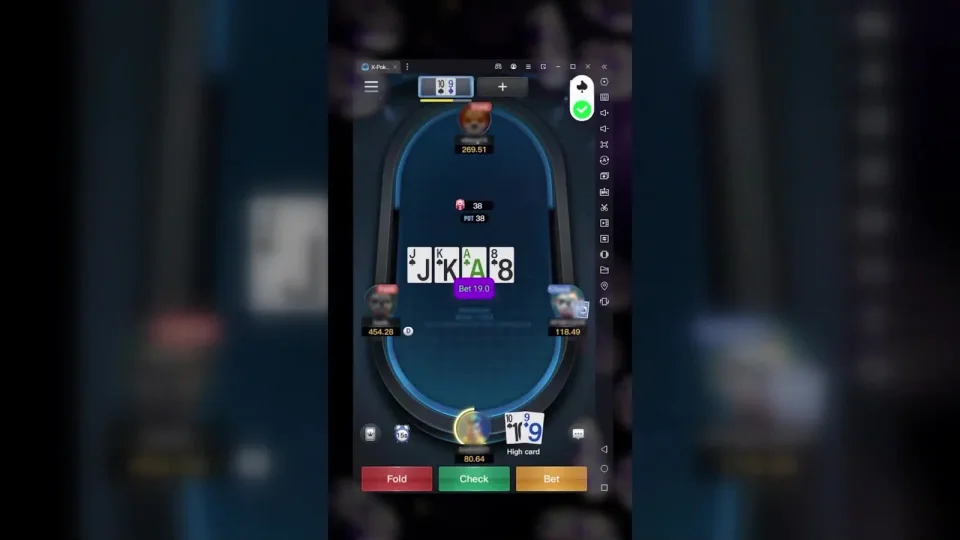
Open a supported poker room and join a table manually. In guidance mode, Poker-Eye displays a configurable action cue. In automatic mode, the same app clicks supported in-game actions. Use the on-table control to switch modes, pause, or stop Poker-Eye.
See every supported room below. Published format combinations appear on the relevant room cards; check the current Android, LDPlayer, or MuMuPlayer setup before you start.

AOF, NLH, NLHB, PLO, PLO5, PLO5B, PLO6, PLO6B, PLOB

WePoker: NLH, NLHB, NLHSQ, NLHSQB, PLO, PLO5, PLO5B, PLOB; WePoker Lobby: NLH, NLH Zoom, NLHB, NLHSQ

AOF, NLH, PLO, PLO5
NLH, NLHB, NLHRP, NLHRPB, NLHSQ, NLHSQB

NLH, NLHB, NLHSQ, NLHSQB, PLO, PLO5, PLO5B, PLOB

NLH, NLH Zoom, NLHB, NLHSQ

AOF, NLH, NLHB, PLO, PLO5, PLO5B, PLO6, PLO6B, PLOB
NLH
Request the current APK in chat; our sales team will send it manually. For help with an Agent Code or setup, message the Poker-Eye sales team directly.