Skip to Content
18+ · Poker involves financial risk. Check local requirements and current room rules before use.
Poker-Eye

Choose a Product

Poker BotLet Poker-Eye click supported in-game actions after you open the room and join a table manually. A multi-table setup uses a separate Poker-Eye account for each table.Poker AIUse live table context, opponent history, VPIP/PFR, action timing, cards, and position to generate an on-table action cue.

Supported Platforms

PPPokerNLH · Omaha · AoFWePokerNLH · Squid · OmahaHHPokerNLH · AoF · Omaha
AAPokerNLH · Squid · MushroomsRedDragonNLH · Squid · OmahaWPT GlobalNLH · NLH ZoomXPokerNLH · Omaha · AoFPokerWorldDePuZhiXingNLH
Show More +Show Less −
How It WorksBlogPartnership
LoginDownload App
  1. Home
  2. / Partnership

Partner With Poker-Eye

Introduce Poker-Eye to your audience or business and discuss a partnership based on your market, channel, and current needs.

Apply for Partnership Chat on Telegram
Poker-Eye partner network for agents, communities, content partners, and regional audiences

Who We Partner With

We review each request individually and discuss the current terms directly.

01

Agents and Sellers

Introduce Poker-Eye to customers who need a compatible Android, LDPlayer, or MuMuPlayer setup.

02

Poker Communities

Share the product with a relevant club, group, or regional poker audience.

03

Content and Audience Partners

Explain supported workflows through relevant content, education, or media.

What a Partnership Can Cover

Product Introduction

Present one Poker-Eye application with guidance and automatic modes for supported tables.

Supported Environments

Use the current room, format, Android, LDPlayer, and MuMuPlayer information published on Poker-Eye.

Current Commercial Terms

Discuss the terms that apply to your market and partnership type directly with the team.

Reporting for Eligible Partners

Agents and large partners may receive access to available reporting through the Admin Panel. Access is confirmed during the partnership discussion.

What You'll Be Sharing

Poker-Eye is one application with guidance and automatic modes. It supports compatible Android phones, tested LDPlayer setups on Windows, and MuMuPlayer on Apple Silicon Mac. Room and format compatibility still varies.


Check Compatibility Download Poker-Eye
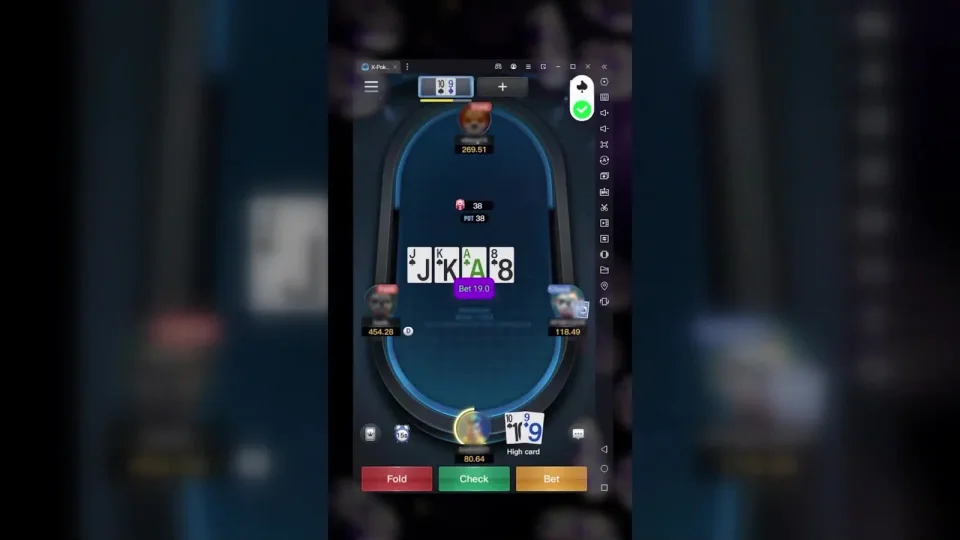
51-second real-table Poker-Eye action-cue demonstration
PPPokerNLH · Omaha · AoF
WePokerNLH · Squid · Omaha
HHPokerNLH · AoF · Omaha
AAPokerNLH · Squid · Mushrooms
RedDragonNLH · Squid · Omaha
WPT GlobalNLH · NLH Zoom
XPokerNLH · Omaha · AoF
PokerWorld
DePuZhiXingNLH

Need Another Poker Room?

Tell us which room, device or emulator, and game formats you need.

Request a Poker Room

How to Apply

  1. 01

    Share Your Channel and Audience

    Tell us who you work with, where your audience is based, and how you want to introduce Poker-Eye.
  2. 02

    We Review the Fit and Current Terms

    The team reviews the request and the current options for that market and channel.

  3. 03

    Agree on the Next Steps

    If the request is a fit, the team confirms the practical next step directly with you.

Apply for Partnership

Tell us about your audience, market, and how you want to introduce Poker-Eye.

Send a Partnership Request

Share enough detail for the team to review your request.

Poker-Eye uses the information you send to review and respond to your request. Learn more in our Privacy Policy.

Poker-Eye

AI-powered tools and support for compatible poker environments.

Follow Poker-Eye
ProductsPoker BotPoker AI
PlatformsPPPokerWePokerHHPokerAAPokerRedDragonWPT GlobalXPokerPokerWorldDePuZhiXing
ResourcesHow It WorksBlogPartnershipFAQContactsSupport
Trust & LegalAboutEditorial TeamEditorial PolicyReview MethodologyPrivacy PolicyCookie PolicyTerms & Conditions
© 2026 Poker-Eye · 18+
Your Privacy Choices

We use necessary storage for age and privacy choices. Optional analytics and marketing storage stays off unless you allow it. Read our Cookie Policy.